DrinkItUp
Drink enough.
Every day.
A water goal personalised for you, reminders that know when to stay quiet, and one tap to log a glass.
A goal that's actually yours.
Not a generic eight glasses. DrinkItUp predicts how much you need, personalised for you, and keeps adapting to your day.
- Learns from
- Your profile
- Follows
- Your routine
- Checks
- Today's weather
- Fine-tunes with
- Your check-ins
General guidance, not medical advice. If you have a medical condition or a fluid limit, follow your clinician's advice.
Reminders that know
when to stay quiet.
They count from your last glass, only arrive between your wake-up and bedtime, and stop the moment you reach your goal.

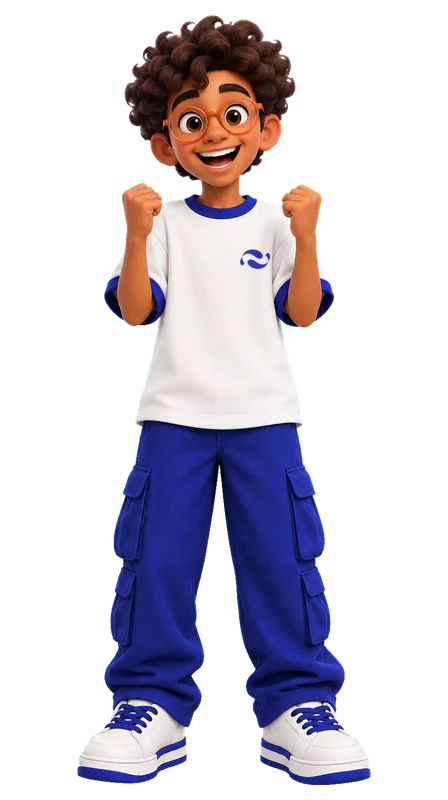
Meet your water buddy.
Your character stands in water that rises as you drink. Thirsty in the morning. Happy when you're done.


Everything else, done simply.
One tap to log
Tap + to add 150 ml. Edit or delete any drink from History.
Home-screen widget
See what's left and log a glass without opening the app.
Your week at a glance
Daily rings, streaks, your weekly average and every drink you logged.
Light and dark
Follows your phone, or pick one in Profile.
Private by design
Location is only used for the local temperature and never stored. Step data stays on your phone. Delete your account any time.
DrinkItUp Plus.
Optional extras. Water tracking stays free.
- Your own character, made from a selfie
- Monthly trends, best days and patterns
- Reminders that adapt to your day
- Streak protection for the odd missed day
Coming soon, with a 7-day free trial on the yearly plan. Selfie characters are for ages 18 and over.

Questions? Answers.
Your daily goal
How is my daily goal predicted?
It is personalised for you. DrinkItUp looks at your profile, your daily routine and activity, and the weather where you are, and keeps fine-tuning the goal from your daily check-ins. It always stays within a safe everyday range.
Why does it say "add your age"?
Until we know your age, you get a general starter goal. Add your age in Profile › Personal info to get a personalised one.
Why is there no goal for children?
Hydration needs for under-14s vary widely and should come from a paediatrician, so the App does not calculate a target for them.
Is this medical advice?
No. The App gives general guidance only. Follow your clinician's advice if you have a medical condition or a fluid restriction.
Logging and reminders
How do I log, edit or delete a drink?
Tap + on the Today screen to add 150 ml, or − to take 150 ml off. To change or remove a specific drink, open History, tap it under Today's Drinks, then adjust the amount or tap Delete Drink.
When does my day reset?
At midnight in your device's time zone. Yesterday's total is saved to your history.
How do I create my own character?
Go to Profile › My Character, agree to the photo terms and pick a clear selfie. In under a minute you get your character in three moods. Your selfie is deleted straight after; only the drawing is saved. Available to DrinkItUp Plus members aged 18 and over.
Can I see my progress without opening the app?
On Android, long-press your home screen, choose Widgets, and add a DrinkItUp widget: the small one shows today's progress ring, and DrinkItUp Bar shows how much is left with a + button that logs 150 ml without opening the app. Tap a widget to open the app.
When do reminders come?
Reminders count from your last drink, so logging a glass resets the timer, and they wait a little longer when you are ahead for the day. About two and a half hours before bed you may get one check-in: a reminder to keep your streak, or a gentle nudge if you are well behind. Nothing is sent once you reach your goal or while you sleep.
How do I change reminders?
Go to Profile › Schedule to set your wake time, sleep time and reminder interval, or turn notifications off.
Account and data
Do I need an account?
An account lets your history sync across devices. Your data stays on the device while you are not signed in.
How do I delete my account?
Go to Profile › Delete Account. This permanently removes your account and synced history.
Where is my data stored?
On your device and, when signed in, in our database hosted by Supabase. See the Privacy Policy for details.
Subscription
What is DrinkItUp Plus?
An optional subscription that is coming soon. Core water tracking will stay free.
How do I cancel?
Subscriptions are managed by Apple or Google. Open your device's account settings › Subscriptions to cancel at any time.
I reinstalled the App. How do I get my subscription back?
Open the subscription screen and tap Restore Purchases while signed in to the same Apple ID or Google account.